
How to download multiple product PDFs as a ZIP file
This guide will show you how to download the individual PDF specifications for every product in one of your Product Lists, packaged together as a single ZIP file.
What is the Individual PDFs (ZIP) download?
The Individual PDFs (ZIP) download creates a separate PDF specification for each product in a Product List and packages them all into one ZIP file. This saves you opening each product and downloading its PDF one at a time.
This can be a great tool when you need to share or keep specifications for a whole range, menu or customer. It sits alongside the existing download options for a list:
- Download CSV – all of the product data for the list in one spreadsheet
- Download PDF – one combined PDF containing every product in the list
- Download Individual PDFs (ZIP) – a separate PDF for each product, bundled into one ZIP file
Quick Overview
Select My Erudus
Select Product Lists
Select the name of the list you want to download
Select the Download drop-down menu
Select Download Individual PDFs (ZIP)
Downloading PDFs as a ZIP | Step 1
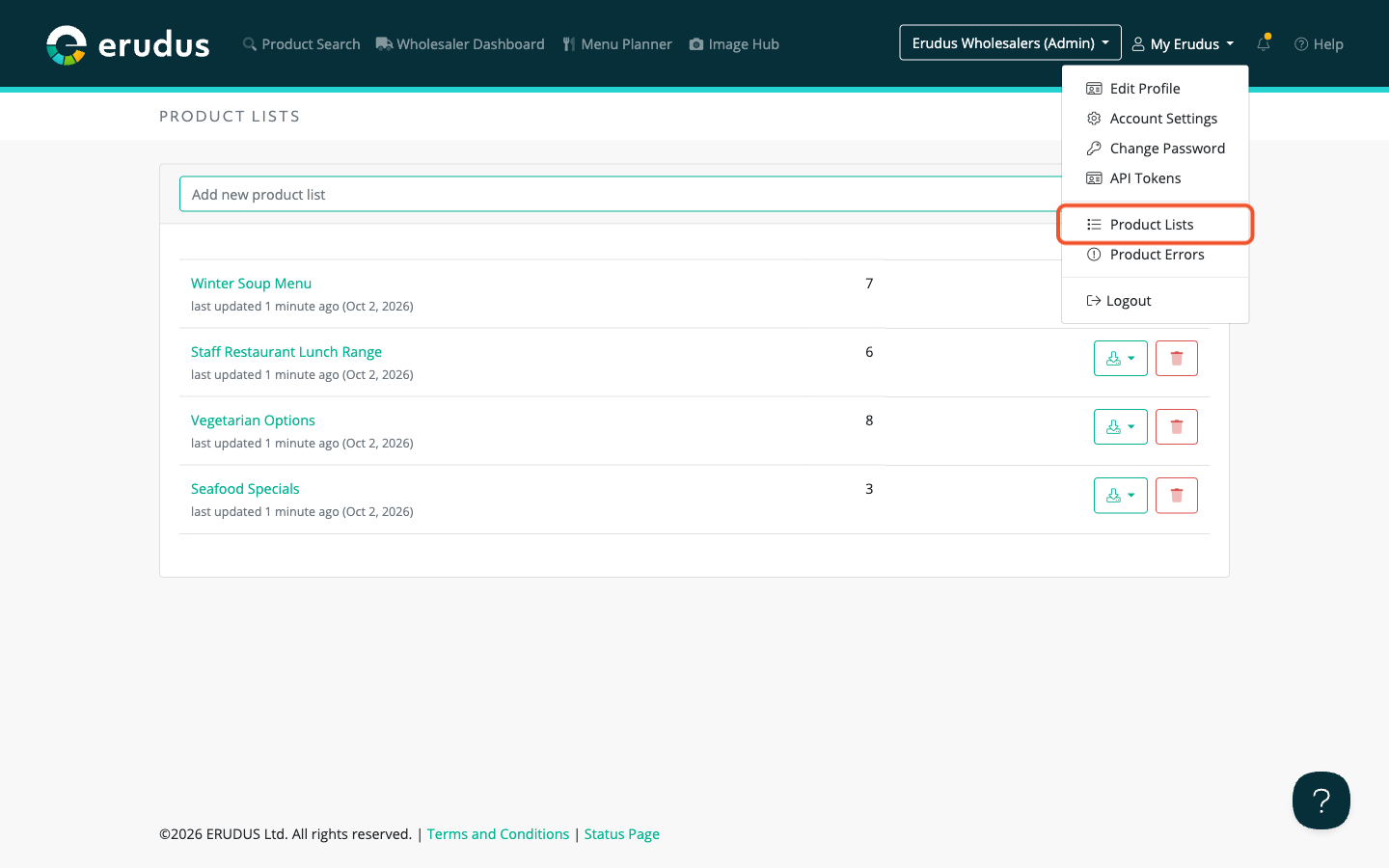
At the top right corner of the screen on any page, click on the "My Erudus" drop-down menu and select "Product Lists."
Downloading PDFs as a ZIP | Step 2
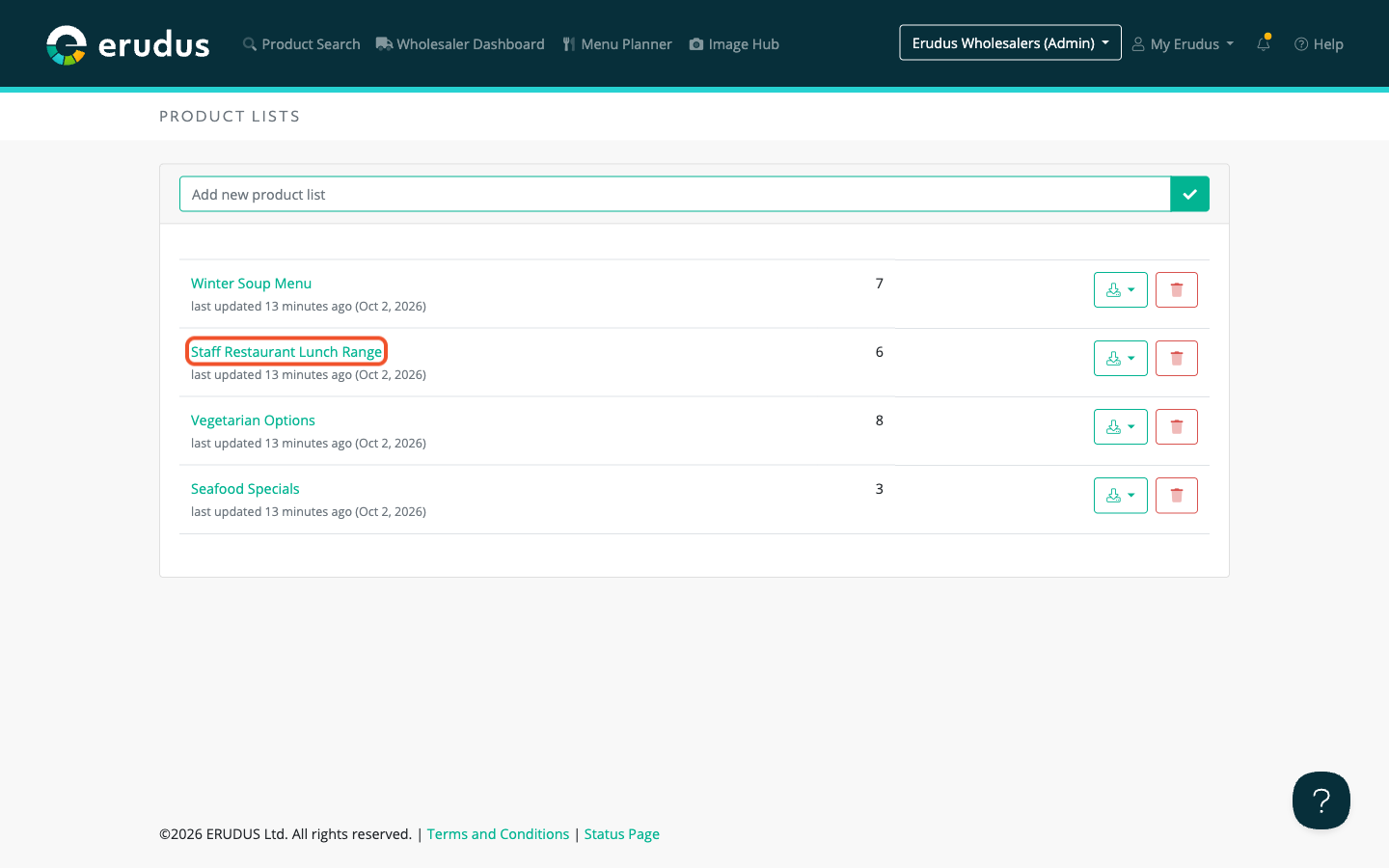
Click on the name of the Product List you want to download the PDFs for.
Downloading PDFs as a ZIP | Step 3
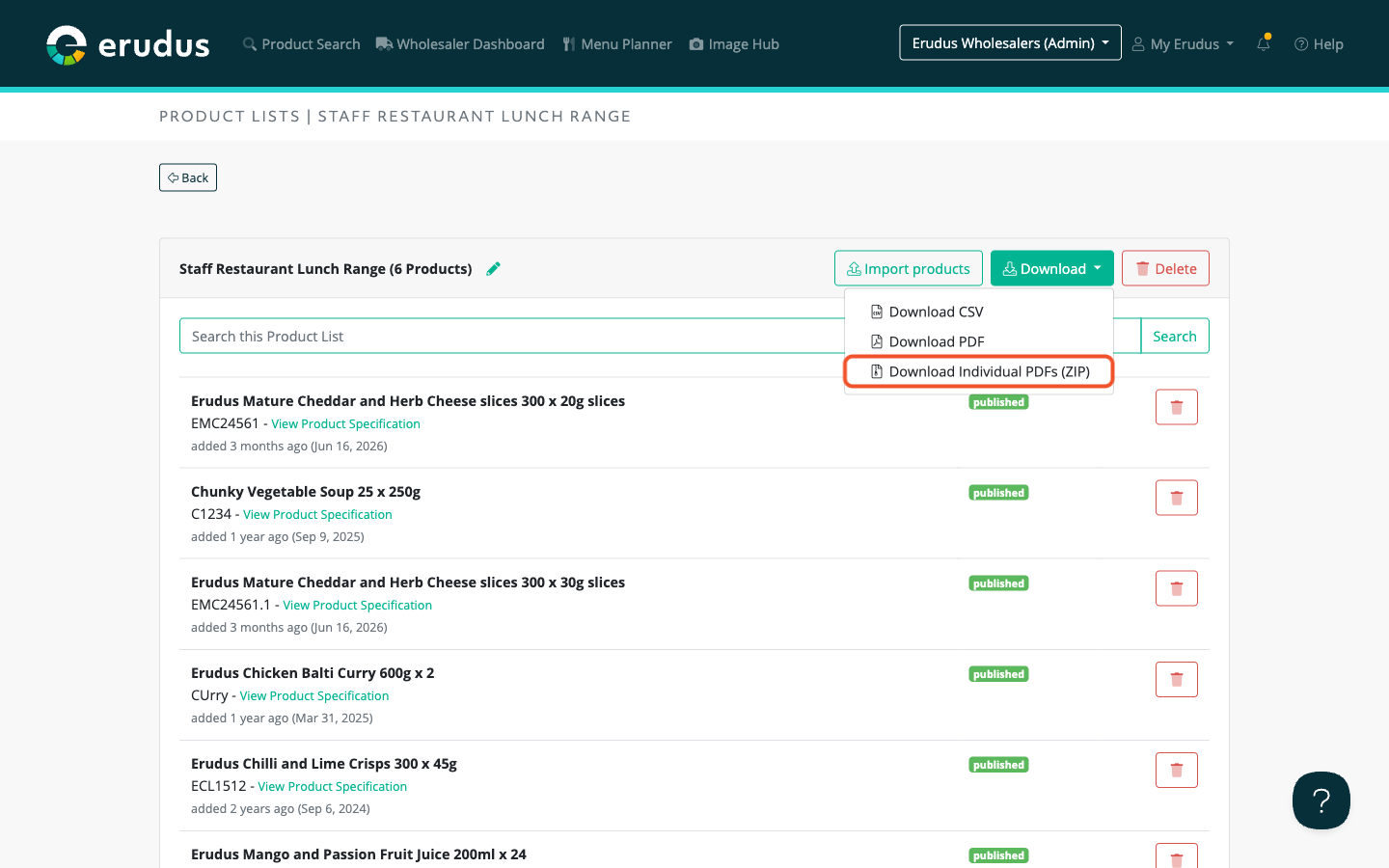
Select the "Download" drop-down menu at the top right of the list, then select "Download Individual PDFs (ZIP)."
Downloading PDFs as a ZIP | Step 4
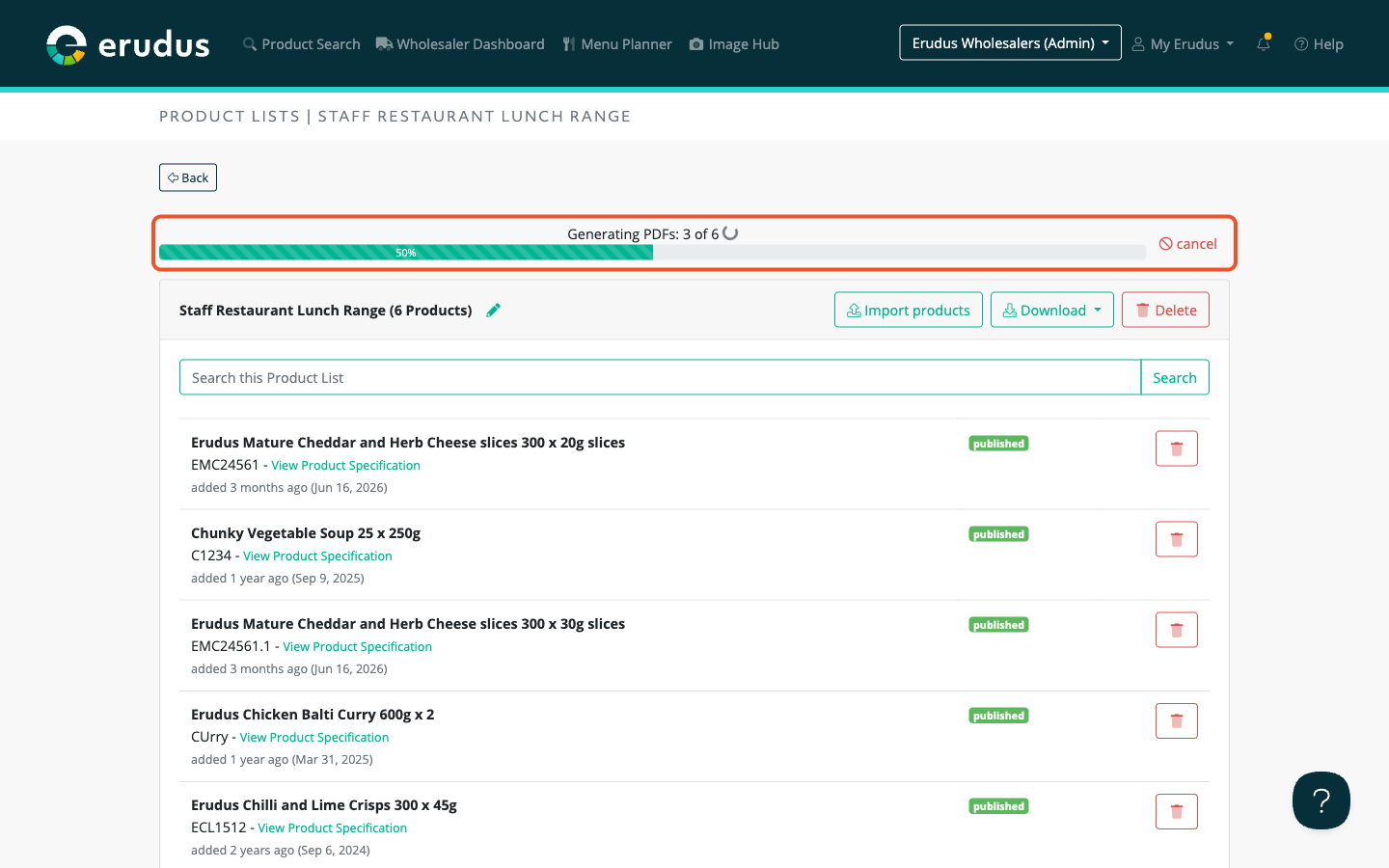
Erudus will now generate a PDF for each product. A progress bar at the top of the page shows how many PDFs have been generated, for example "Generating PDFs: 3 of 6." Once every PDF is ready, the bar will show "Packaging your ZIP."
Larger lists can take a few minutes. You can keep using Erudus in another tab while you wait, or select "cancel" to stop the download.
Downloading PDFs as a ZIP | Step 5
When the ZIP file is ready, the download will start automatically. The file is called product-specs.zip. Open it to find one PDF per product, each named after the product. If two products share the same name, a number is added to the end of the file name.
Please note: You can download up to 1,000 products at a time. If your list has more than 1,000 products, only the first 1,000 will be included and a message will let you know. If any products are unavailable, a message will tell you how many could not be included in the download.
If you have any further questions, please feel free to reach out to the Erudus support team on 0333 121 8999 or via email at support@erudus.com